Online shopping is convenient because so much happens in a few clicks. That convenience also concentrates several risks in one place. A convincing fake store can take your money, a phishing message can steal an account password, and a shopping app can collect more personal data than you expected. Safe online shopping is therefore about protecting your money, accounts, payment information, and privacy from browsing through delivery.
Start by checking the seller, not just the product
A polished website is not proof that a business is legitimate. Scam shops can copy product photos, logos, reviews, and wording from real retailers. Before buying from an unfamiliar seller, search for the company name and website address alongside words such as “review,” “complaint,” “scam,” or “fraud.” Look for patterns rather than trusting one review.
Pay attention to the web address. Misspellings, extra words, unusual subdomains, or a domain that differs from the brand name can be warning signs. HTTPS and the padlock icon indicate that the connection is encrypted, but they do not prove that the seller is trustworthy. Fraudulent websites can also use HTTPS.
Price is another clue. A major discount can be genuine, but a popular product offered far below every established retailer deserves extra scrutiny. Many ecommerce scams rely on urgency, scarcity, or an unbelievable bargain to push shoppers past their normal checks.
Read the terms before you hand over money
A legitimate store should make clear what you are buying, when it should ship, what delivery costs apply, and what happens if you want to return it. Check the refund and return policy before paying, especially for expensive or marketplace items.
Look for practical details. Is there a return window? Who pays return shipping? Is there a restocking fee? What happens if the parcel never arrives or the item differs from the description? Missing or contradictory terms are a reason to slow down.
Keep the order confirmation, receipt, product description, seller messages, and shipping information until the transaction is resolved. These records can help if you need to dispute a charge or prove what the seller promised.
Choose secure payments and avoid unnecessary risk
Where possible, use a payment method that offers meaningful dispute or chargeback protections. Credit cards often provide stronger options than methods that move money directly and are difficult to reverse, although exact protections vary by country and provider.
Be especially cautious if a seller insists that you pay only by gift card, wire transfer, cryptocurrency, or another method that leaves little practical recourse. A seller steering you away from normal secure payments can be a strong shopping fraud signal. On marketplaces, staying inside the platform’s own checkout can also preserve protections that may disappear if you move payment elsewhere.
Protect the account behind the purchase
Your shopping account may store addresses, order history, saved cards, and useful personal information. Use a unique password for each important account. A password manager can create and store long, random passwords so you do not reuse the same one across multiple shops.
Turn on multifactor authentication when a retailer, marketplace, email provider, or payment service offers it. Passkeys are also useful when available because they reduce reliance on passwords. Protect your email account especially well because shopping and payment password-reset links often arrive there.
A natural internal link could point readers to an account security basics guide, while another could lead to advice on spotting phishing emails and text messages.
Treat delivery messages as part of the transaction risk
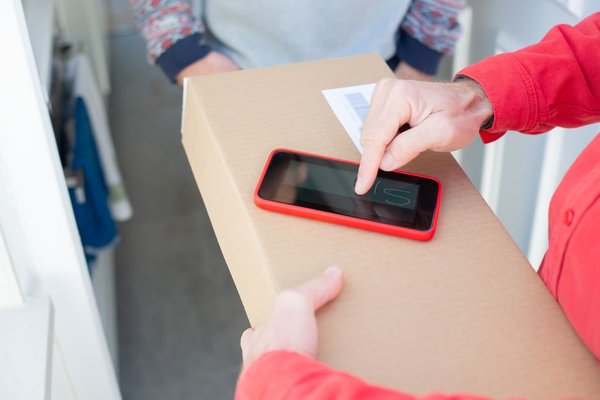
Scammers know people expect shipping updates after placing orders. That makes fake “delivery failed,” “address problem,” or “small redelivery fee” messages effective. Instead of tapping a link in an unexpected text or email, open the retailer or courier app directly, or type the known website address yourself.
Imagine you ordered shoes on Monday and receive a text on Wednesday saying your parcel is held until you pay a small fee. The timing feels believable because you really are expecting a delivery. The safer response is to ignore the message link and check the tracking number from your original order confirmation. This simple habit separates the real transaction from whatever a stranger sends to your phone.
Share less data than the checkout asks for
Not every requested field is equally necessary. A retailer may need your name, delivery address, contact details, and payment information to complete an order, but extra profile questions may be optional. Avoid providing information unrelated to the purchase unless you understand why it is requested.
Shopping apps deserve the same scrutiny. Review permissions and disable access that is not necessary. Location, contacts, microphone, photos, and tracking permissions can reveal more than many shoppers realize. A browser purchase may require less ongoing access than installing an app for one order.
Another natural internal link could lead to a broader guide on protecting personal information online.
What to do if something goes wrong
If you suspect a scam, act quickly. Contact the seller through a verified channel, then contact your payment provider if the seller does not resolve the problem. Change any password you entered on a suspicious site, especially if you reused it elsewhere. If you provided card details to a fraudulent page, ask the card issuer what protective steps are appropriate for your account.
Watch for follow-up scams too. Criminals may contact victims again while pretending to be a bank, courier, marketplace, or recovery service. Do not assume a caller is legitimate simply because they know details about the original purchase.
FAQ
How can I tell whether an online store is safe?
Check the exact domain name, research the seller independently, compare prices with established retailers, read the return and delivery terms, and look for a normal payment process. HTTPS is useful for encrypted communication, but it should never be your only trust signal.
Is it safe to save my card on a shopping website?
It can be convenient, but it increases the value of the account if someone takes it over. If you save payment details, use a strong unique password, enable multifactor authentication when available, and review stored cards and account activity.
What payment method is safest for online shopping?
No method is risk-free, but payment options with clear dispute protections are generally preferable to irreversible transfers. Credit cards and reputable payment platforms often provide better recourse than gift cards, wire transfers, or cryptocurrency, depending on local law and provider rules.
What is a major warning sign of an online shopping scam?
Extreme discounts, pressure to act immediately, unfamiliar domains, poor contact information, and demands for hard-to-reverse payment methods should all raise concern. Several of these together are a strong reason not to proceed.
Shop with a security mindset
The best online shopping safety tips are simple habits applied consistently: verify the seller, read the terms, use secure payments, protect your accounts, distrust unexpected links, and limit unnecessary data sharing. None of these steps makes every transaction risk-free, but together they make common ecommerce scams much harder to pull off. The goal is not to make online shopping complicated. It is to keep convenience from becoming an excuse to surrender control of your money, identity, or accounts.