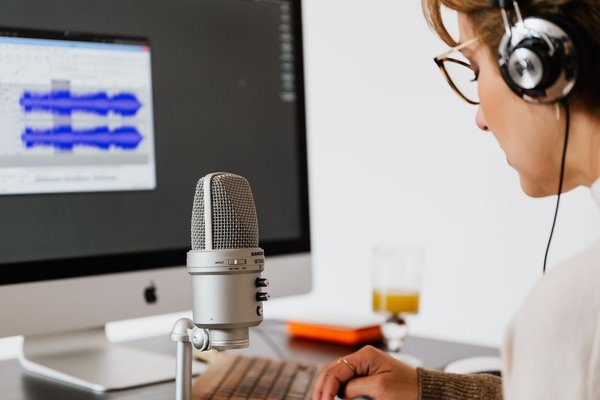
Turning an hour of conversation into useful notes is no longer mainly a typing problem. The bigger challenge is choosing software that captures the right words, identifies who said them, makes the transcript easy to search, and fits the way you already work. The best transcription software therefore depends less on a single accuracy claim and more on the full workflow around meetings, interviews, recordings, summaries, exports, and privacy.
What matters when comparing transcription software
Accuracy is the obvious starting point, but real recordings are messy. Multiple speakers interrupt each other, names and technical terms are misheard, microphones vary, and accents can change recognition quality. A useful comparison should also look at speaker labels, editing tools, timestamps, language support, summaries, integrations, export formats, and how easily you can correct errors.
Cost matters too, but pricing models differ. Some audio transcription tools include a monthly pool of minutes, some offer generous meeting transcription but stricter upload limits, and others charge by the minute. For confidential interviews or internal meetings, privacy controls, retention settings, access permissions, and consent requirements should be part of the buying decision rather than an afterthought.
Best transcription software for different workflows
Otter.ai: best for live meetings and searchable notes
Otter.ai is strongest when transcription starts as part of the meeting rather than after it. It can join Zoom, Microsoft Teams, and Google Meet sessions, create live transcripts, identify speakers, generate summaries, and make previous conversations searchable. Its free Basic plan currently includes 300 monthly transcription minutes, while paid plans raise limits and add stronger export, collaboration, admin, and integration features.
This makes Otter especially practical for recurring team calls, classes, and interviews where you want notes available immediately. It is less compelling if your work is mainly long prerecorded files and you need unlimited imports on a low-cost plan. Otter also states that users should obtain consent before recording and transcribing others, which is a sensible rule regardless of the tool you choose.
Fireflies.ai: best meeting transcription app for teams
Fireflies.ai combines transcription with meeting automation. It supports major conferencing platforms, live notes, searchable meetings, file uploads, AI summaries, and integrations. Its current plans advertise transcription in more than 100 languages, with a free tier and paid Pro, Business, and Enterprise options.
The main advantage is workflow depth. A sales, recruiting, or project team can move from a conversation to summaries, action items, searchable records, and connected apps without manually copying notes between tools. If your priority is simply turning occasional audio files into text, that breadth may be more than you need.
Descript: best for podcasters and video creators
Descript approaches speech to text software from an editing angle. Instead of treating the transcript as a final document, it lets you edit audio and video by editing the text. It supports multi-language transcription, speaker detection, multitrack transcription, captions, and media editing in the same workspace.
That makes Descript particularly useful for podcasts, webinars, recorded interviews, and video content where transcription is only one step before publishing. The free plan includes limited media processing, while paid plans expand monthly media hours and AI features. For someone who only needs meeting minutes, a dedicated meeting tool will usually feel simpler.
Rev: best for accuracy-sensitive interview transcription
Rev stands out because it offers both automated and human transcription. Its AI transcription is currently priced from $0.25 per minute, while human transcription starts at $1.99 per minute. Rev says its human service is designed for higher-accuracy work, while its AI option is built for faster turnaround.
This two-level approach is useful when the same project contains both routine and high-stakes material. A researcher might use AI interview transcription for internal coding, then order human transcription for a quotation-heavy publication, legal record, or final deliverable where small wording errors matter more.
Trint: best for journalists and collaborative research
Trint is designed around turning recordings into searchable editorial material. Users can upload audio or video, edit transcripts like documents, collaborate with teammates, pull important moments into Story Builder, and export finished work into document, caption, and editing formats. Its current free trial provides seven days of Advanced-plan access with limited file transcription.
Trint also puts noticeable emphasis on security. The company says data is encrypted in transit and at rest, offers EU or US data storage, and does not use customer recordings to train its algorithms. Those controls can matter for journalism, research, and organizations handling sensitive interviews.
How to choose the right tool
Start with the source of your audio. For back-to-back online meetings, Otter or Fireflies will usually save more time because recording, speaker labels, summaries, and searchable notes are built around calendars and conferencing. For podcast or video production, Descript reduces handoffs because the transcript doubles as an editing interface. For interviews where accuracy can justify extra cost, Rev gives you a path from AI to human-reviewed transcription. Trint is attractive when teams need collaborative review, story building, flexible exports, and stronger control over sensitive material.
A practical test is to upload the same 10-minute recording to two shortlisted services. Use a section with at least two speakers, one proper name, a number, and some overlapping speech. Then compare how many corrections you make, whether speaker labels remain consistent, how quickly you can find a key quote, and what happens when you export the transcript. That small test reveals more than a headline accuracy percentage.
Related guides such as AI note-taking tools, productivity software for remote teams, and podcast editing software can also help you decide whether transcription should be a standalone tool or part of a wider workflow.
Frequently asked questions
What is the best transcription software for meetings?
Otter.ai and Fireflies.ai are strong options for meetings because both are built around live or automated capture, speaker identification, summaries, search, and conferencing workflows. The better choice depends on your preferred integrations, usage limits, and team features.
What is the best software for interview transcription?
For routine interviews, several AI tools can work well if the recording is clear. Rev is particularly useful when you want the option to move from automated transcription to a human service for higher-accuracy final copy. Trint is also well suited to research and editorial review.
How accurate is AI transcription?
Accuracy varies with microphone quality, background noise, accents, specialist vocabulary, speaker overlap, and language. Even good software should be reviewed before you publish quotations, legal information, research findings, or other details where exact wording matters.
Should I use free transcription software?
Free plans are useful for testing accuracy and workflow, but they usually limit minutes, file imports, storage, exports, or advanced AI features. Test with your own recordings first, then compare the paid plan against the time you would otherwise spend correcting and organizing transcripts.
Final thoughts
There is no single winner for every recording. Otter.ai and Fireflies.ai focus on meeting productivity, Descript connects transcription with media editing, Rev offers a useful AI-to-human accuracy path, and Trint is built for collaborative editorial work. Choose the product that creates the least friction after the words are transcribed, because searchable notes, clean speaker labels, useful exports, and trustworthy privacy controls are what turn a transcript into something you can actually use.