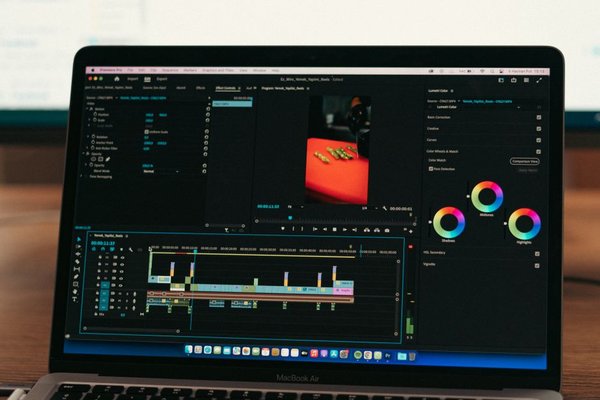
Video editing is no longer limited to studio desktops. YouTubers, filmmakers, social teams, wedding editors and independent creators increasingly need a machine that can handle high-resolution footage. The best laptop for video editing in 2026 must do more than launch an editing app: it should play demanding timelines smoothly, accelerate effects, export quickly and show colours you can trust.
For most editors, the sweet spot is a modern high-performance processor, a capable dedicated GPU or media engine, at least 32GB of memory and a fast 1TB SSD. Multicam 4K projects, heavy colour grading and noise reduction raise those requirements. The models below cover macOS, creator-focused Windows laptops and mobile workstations, followed by practical guidance on choosing the right configuration.
Best overall: Apple MacBook Pro 16-inch with M4 Pro or M4 Max
The 16-inch MacBook Pro remains the most complete portable editing system for creators who value performance, battery efficiency and a polished display. Its dedicated media engines accelerate H.264, HEVC, ProRes and ProRes RAW, which is especially useful in Final Cut Pro and also benefits common professional workflows.
The Liquid Retina XDR screen combines a sharp 3456-by-2234 resolution, wide P3 colour and high HDR brightness. An SDXC slot, HDMI and three Thunderbolt 5 ports make it easier to connect cameras, fast storage and external monitors without building the entire setup around adapters.
Choose an M4 Pro configuration with 48GB of unified memory for serious 4K work. Editors handling complex multicam sequences, 8K media, advanced motion graphics or large After Effects compositions should consider M4 Max with 64GB or more. It is expensive, but its balanced performance make it the strongest all-round choice.
Best Windows creator laptop: ASUS ProArt P16
The ProArt P16 is designed for people who need workstation-like performance without carrying a bulky gaming laptop. Current configurations combine an AMD Ryzen AI 9 processor with NVIDIA GeForce RTX graphics, ranging from sensible mid-tier options to the extremely powerful RTX 5090 Laptop GPU.
Its 16-inch 4K OLED display covers 100% of the DCI-P3 colour gamut and is factory-oriented toward creative work. Higher-end versions add a 120Hz refresh rate and strong HDR capability. The full-size SD Express reader, HDMI, USB4 and additional USB ports are practical for on-location editors.
For Adobe users, an RTX 5070 Ti or RTX 5080 configuration with 32GB to 64GB of RAM offers an excellent balance. This is a particularly strong laptop for Premiere Pro because NVIDIA acceleration can help with GPU effects, AI features and export workloads. An RTX 5090 model is better viewed as a specialist option for intensive effects, 3D work and demanding multicam projects.
Best mobile workstation: Lenovo ThinkPad P1 Gen 7
The ThinkPad P1 Gen 7 suits editors who also need workstation features, business durability and broad operating-system support. It can be configured with Intel Core Ultra processors, GeForce RTX 4060 or 4070 graphics, or professional NVIDIA RTX Ada GPUs. Memory reaches 64GB, while dual M.2 slots support up to 8TB of fast storage.
The optional 3840-by-2400 OLED panel covers 100% DCI-P3 and includes factory colour calibration. It also provides an SD Express card reader, HDMI 2.1 and two Thunderbolt 4 ports. That combination makes it a credible 4K editing laptop for production teams that regularly move large camera files and attach multiple displays.
Its main drawback is configuration complexity. Some versions use lower-resolution displays or integrated graphics, so check the exact specification rather than relying on the product name alone.
Best compact option: Apple MacBook Pro 14-inch
The 14-inch MacBook Pro delivers much of the larger model’s editing ability in a more travel-friendly body. M4 Pro is powerful enough for most 4K documentary, commercial and YouTube workflows, while M4 Max gives mobile professionals more GPU headroom.
The smaller XDR display is still excellent for HDR review and colour-sensitive work, and the port selection includes HDMI, SDXC and Thunderbolt. The trade-off is workspace: long timelines and dense editing interfaces feel more comfortable on a 16-inch screen. For frequent travellers who use an external monitor at home, however, it is one of the most practical choices available.
Best configurable Windows workstation: Dell Precision 5690
Dell’s Precision 5690 is aimed at professionals who prioritise certified workstation graphics, serviceability options and predictable corporate deployment. It supports NVIDIA RTX Ada GPUs up to the RTX 5000 Ada with 16GB of video memory, up to 64GB of LPDDR5x memory and a choice of 16-inch displays, including a 3840-by-2400 OLED panel with 100% DCI-P3 coverage.
This can be an excellent laptop for DaVinci Resolve when configured with a strong GPU, because Resolve relies heavily on graphics performance for grading, effects and noise reduction. The downside is value: workstation components can cost considerably more than consumer GeForce hardware with similar raw editing performance.
What specifications matter most for video editing?
Processor and media acceleration
A fast CPU affects playback, decoding, effects and export times, but codec support matters too. Apple’s media engines are especially efficient with ProRes, while modern Intel, AMD and NVIDIA hardware can accelerate widely used H.264, HEVC and AV1 workflows. Editors should match the laptop to the footage they actually shoot.
GPU and video memory
Premiere Pro and DaVinci Resolve use the GPU for colour tools, transitions, AI features and effects. A modern RTX 4060-class GPU is a useful starting point for serious 4K work. More complex Resolve grades, Fusion compositions or 8K timelines benefit from 8GB to 16GB of VRAM or more.
RAM, storage and display
Choose 32GB of memory as the baseline in 2026; 64GB is preferable for multicam editing, After Effects or large projects. A 1TB SSD should be considered the minimum, although external Thunderbolt or USB4 drives can hold active media. For colour work, look for broad DCI-P3 coverage, factory calibration and consistent brightness rather than resolution alone.
Frequently asked questions
How much RAM is enough for 4K video editing?
32GB is sufficient for many single-stream and moderate multicam 4K projects. Choose 64GB when using heavy effects, large After Effects compositions, high-resolution RAW media or several creative applications at once.
Do I need a dedicated GPU for video editing?
Not always. Apple silicon systems can edit demanding footage using integrated GPU and media-engine resources. On Windows, a dedicated NVIDIA GPU is strongly recommended for serious Premiere Pro or DaVinci Resolve work.
Is OLED better for video editing?
OLED provides deep blacks, high contrast and wide colour, but accuracy and calibration remain more important than panel type. A well-calibrated IPS or mini-LED display can also be excellent.
Can a gaming laptop be used for editing?
Yes. Gaming laptops often deliver strong CPU and GPU performance for the price. Check display colour accuracy, fan noise, battery life, card-reader support and sustained performance before choosing one for professional work.
Conclusion
The MacBook Pro 16-inch is the best laptop for video editing for most professionals because it combines fast media processing, an excellent display and dependable mobile performance. The ASUS ProArt P16 is the standout Windows alternative, while the ThinkPad P1 and Dell Precision 5690 better suit workstation buyers. Whatever model you choose, prioritise the right configuration: 32GB or more of memory, fast storage, a colour-accurate screen and enough GPU power for your footage will matter more than the badge on the lid.